Now Reading: Web Development for Beginners
- 01
Web Development for Beginners

The internet has become an essential part of everyday life, and websites are the foundation of the online world. From personal blogs to large business platforms, every website is built through web development. If you are interested in learning how websites work, this guide on Web Development for Beginners will help you understand the basics in a simple and practical way.
Web development may seem difficult at first, but beginners can learn it step by step. With the right tools, coding languages, and practice, anyone can build a professional website. Whether you want to create your own blog, start freelancing, or offer Professional Website Development services, learning web development can open many career opportunities.
In this article, you will learn the core concepts of web development, important programming languages, useful tools, and tips to improve your skills.
What Is Web Development?
Web development is the process of creating and maintaining websites. It includes designing the website structure, writing code, managing databases, and improving website performance.
Developers use different technologies to make websites functional, responsive, and user-friendly. A modern website must work smoothly on computers, tablets, and smartphones.
Web development is generally divided into three main areas:
Front-End Development
Front-end development focuses on the visual part of a website that users can see and interact with. It includes layouts, buttons, menus, colors, and animations.
The main front-end technologies are:
- HTML
- CSS
- JavaScript
Front-end developers ensure websites look attractive and responsive on all devices.
Back-End Development
Back-end development handles the server side of a website. It manages databases, security, and website functionality behind the scenes.
Popular back-end languages include:
- PHP
- Python
- Java
- Node.js
Back-end development is important for websites that require user accounts, payments, or data storage.
Full-Stack Development
A full-stack developer works on both front-end and back-end development. This skill is highly valuable because it allows developers to build complete websites independently.
Why Learn Web Development?
Learning web development offers many benefits for beginners and professionals alike.
High Demand for Professional Website Development
Businesses need websites to grow online. This creates strong demand for skilled developers around the world.
Freelancing Opportunities in Website Creation
Many developers earn online by offering website services on freelance platforms. You can provide Custom Web Development Solutions for businesses and startups.
Creative Skills in Custom Web Development Solutions
Web development allows you to create unique websites, portfolios, and online stores according to your ideas.
Remote Career Opportunities for Web Developers
Many web developers work remotely from home, making it a flexible career choice.
Essential Skills for Beginners
To start web development successfully, beginners should focus on learning a few essential skills.
Learn HTML
HTML stands for HyperText Markup Language. It creates the structure of web pages.
HTML elements include:
- Headings
- Paragraphs
- Images
- Links
- Forms
HTML is considered the foundation of every website.
Learn CSS
CSS stands for Cascading Style Sheets. It controls the appearance of websites.
With CSS, you can:
- Change colors
- Add layouts
- Create animations
- Improve responsiveness
CSS helps transform a plain webpage into a visually appealing design.
Learn JavaScript
JavaScript adds interactivity to websites. It allows users to interact with elements such as sliders, menus, and forms.
JavaScript is widely used in modern website development because it improves user experience.
Best Tools for Web Development
Using the right tools can make learning easier for beginners.
Code Editors
A code editor helps developers write and manage code efficiently.
Popular code editors include:
- Visual Studio Code
- Sublime Text
- Atom
Browsers for Testing
Developers test websites in browsers to ensure proper functionality.
Common browsers include:
- Google Chrome
- Mozilla Firefox
- Microsoft Edge
Version Control Systems
Git helps developers track code changes and collaborate with teams.
GitHub is a popular platform for storing and managing code online.
Understanding Responsive Web Design
Responsive web design ensures websites look good on all screen sizes.
Today, mobile-friendly websites are essential because many users browse the internet on smartphones. Search engines also prioritize mobile-responsive websites in rankings.
Important responsive design practices include:
- Flexible layouts
- Mobile-friendly navigation
- Optimized images
- Fast loading speed
Responsive design improves user experience and SEO performance.
Steps to Build Your First Website
Creating your first website becomes easier when you follow a step-by-step process.
Step 1: Plan Your Website
Decide the purpose of your website. It could be:
- A personal blog
- A business website
- A portfolio
- An online store
Planning helps organize content and design ideas.
Step 2: Create Website Structure with HTML
Start by creating headings, paragraphs, menus, and sections using HTML.
Step 3: Design a professional Website with CSS
Use CSS to improve the visual appearance of your pages.
Step 4: Add website features using JavaScript
JavaScript can add interactive features like image sliders and pop-up menus.
Step 5: Test the Website performance
Check your website on different devices and browsers to ensure proper performance.
Step 6: Publish Online
You can publish your website using hosting services and a domain name.
Professional Website Development Tips
If you want to create high-quality websites, follow these professional tips.
Keep the Design Simple
A clean and simple layout improves readability and user experience.
Improve Website Speed
Fast-loading websites reduce bounce rates and improve SEO rankings.
You can improve speed by:
- Compressing images
- Reducing unnecessary code
- Using caching tools
Focus on User Experience
Easy navigation helps visitors find information quickly.
Optimize for SEO
Search engine optimization helps websites rank higher on search engines.
Important SEO practices include:
- Using keywords naturally
- Writing quality content
- Optimizing images
- Adding meta tags
Common Mistakes Beginners Should Avoid
Many beginners make similar mistakes while learning web development.
Trying to Learn Everything at Once
Focus on one skill at a time instead of rushing through multiple technologies.
Ignoring Practice
Practice is essential for improving coding skills. Build small projects regularly.
Copying Without Understanding
It is fine to learn from tutorials, but understanding the code is important.
Poor Website Structure
Well-organized code makes websites easier to manage and update.
Importance of Custom Web Development Solutions
Every business has different goals and requirements. That is why many companies prefer Custom Web Development Solutions instead of generic website templates.
Custom development provides:
- Unique website design
- Better scalability
- Improved performance
- Enhanced security
- Personalized features
Businesses that invest in custom websites often achieve better branding and customer engagement.
Future of Web Development
Web development continues to evolve rapidly with new technologies and trends.
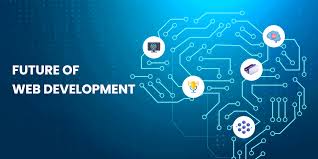
Popular trends include:
- Artificial Intelligence integration
- Progressive Web Apps
- Voice search optimization
- Motion UI design
- Advanced cybersecurity
Beginners who continue learning and adapting can build successful careers in the web industry.
How to Start Learning Web Development Today
Starting your web development journey does not require expensive resources.
Here are simple ways to begin:
- Watch beginner tutorials online
- Practice coding daily
- Build small projects
- Join coding communities
- Learn from real websites
- Create your own portfolio
Consistency is more important than perfection when learning coding skills.
Conclusion
Learning Web Development for Beginners is one of the best ways to enter the digital world. Web development combines creativity, problem-solving, and technical skills to build functional websites for individuals and businesses.
By learning HTML, CSS, and JavaScript, beginners can create modern and responsive websites. Over time, you can expand your skills into back-end development, SEO optimization, and Professional Website Development services.
The demand for developers continues to grow, making web development a valuable skill for freelancing, remote jobs, and business opportunities. Start with small projects, practice regularly, and continue improving your knowledge. With patience and dedication, you can become a successful web developer and provide high-quality Custom Web Development Solutions in the future.